

Setup
-
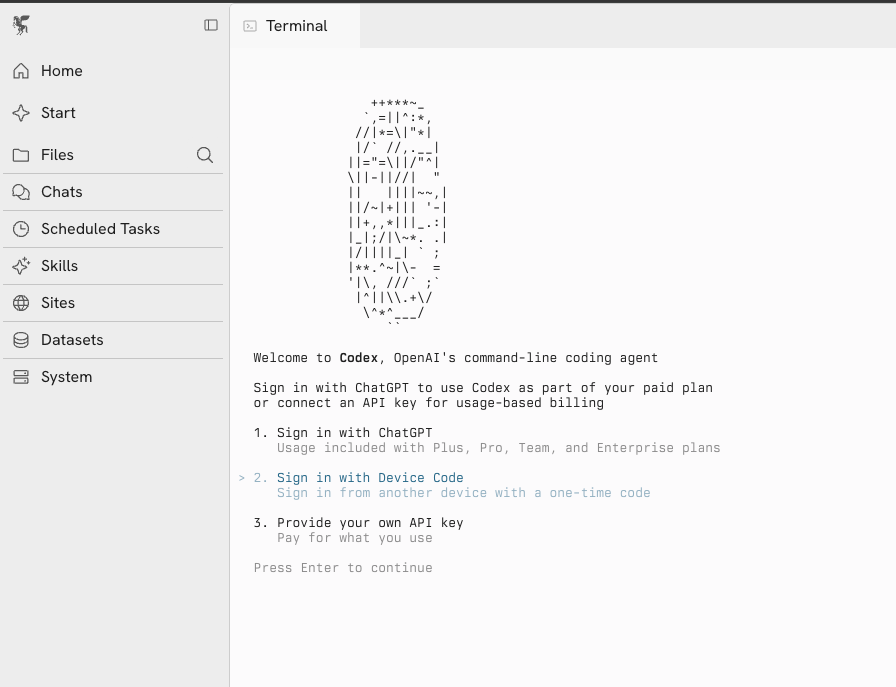
Open the terminal on your Zo and run
codexto start the login flow - Select Sign in with Device Code
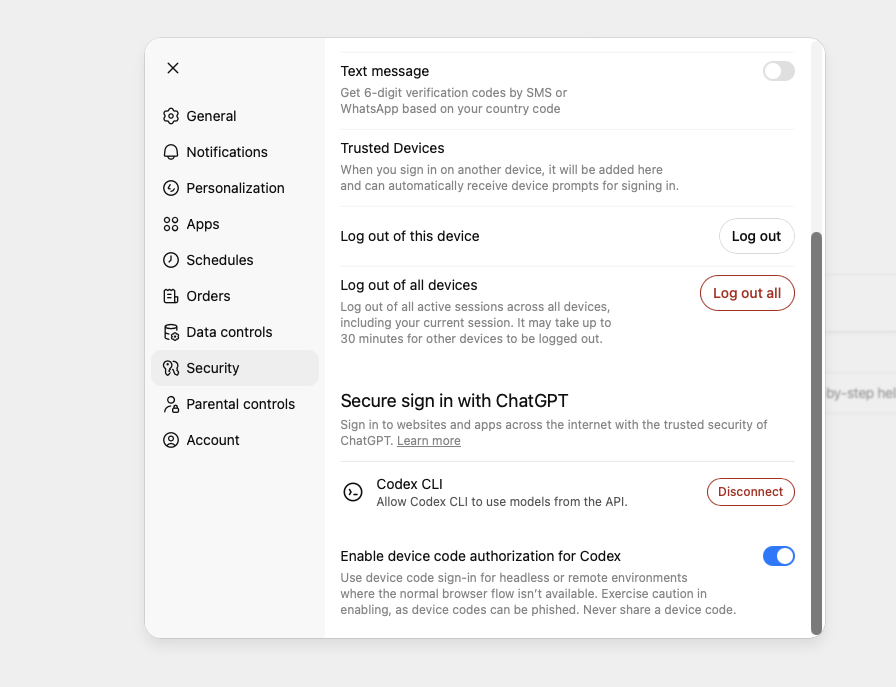
- You may need to enable device code authorization first in your ChatGPT account. Go to Settings > Security and toggle on Enable device code authorization for Codex.
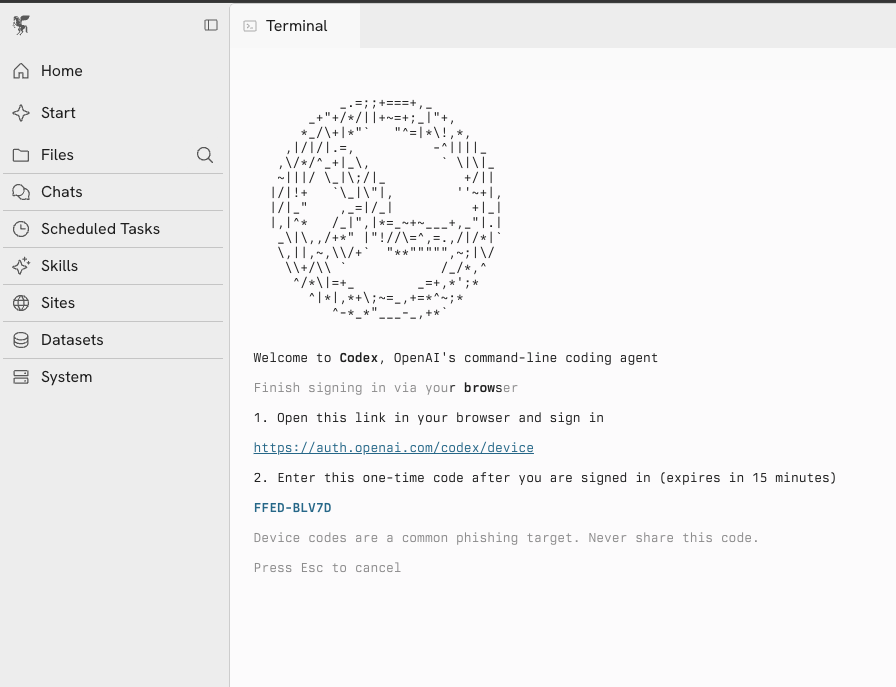
- Codex will display a URL and a one-time code. Open the URL in your browser and enter the code to complete authentication.
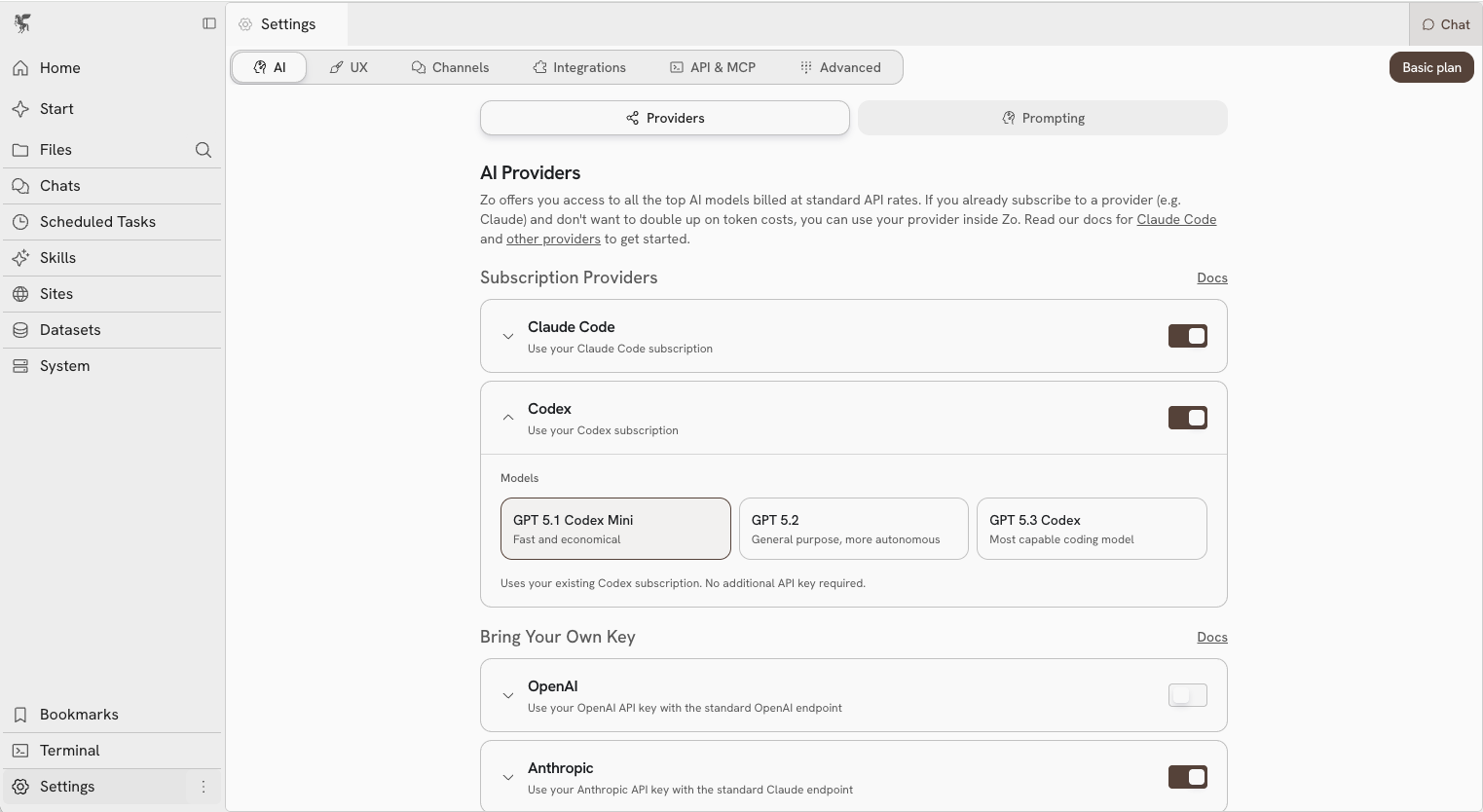
- Go to Settings > AI Providers and enable Codex
- Select your preferred model
- Select “Codex” from the model picker in chat and you’re set